
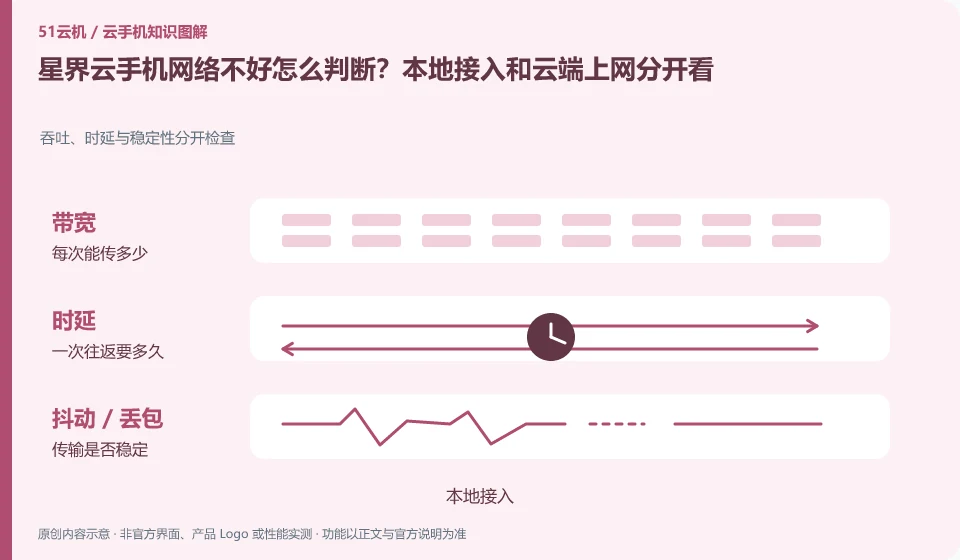
Regarding Xingjie cloud phone, the key to this issue is: cloud phone involves at least two networks: your access link to the cloud screen, and the Internet link from cloud Android to the target service. Even if the local speed test is fast, there is no guarantee that accessing an application service from the cloud will be normal; and vice versa.
Known information about Xingjie cloud phone and the key points of this verification
Xingjie cloud phone provides finished product access and open capability documents. The official getting started documentation lists the different clients, shared and dedicated networks, and device management capabilities.
The introductory document distinguishes between public and private networks. Specific IP purchase and allocation rules are subject to the current order, and account security is not guaranteed based on the name.
The evidence boundary of this article is: there is a time difference between the system version of the old introductory document and the current product page, and the old document specifications cannot be regarded as current configurations.
How this issue applies to this product
Xingjie cloud phone Getting Started Guide differentiates between shared and dedicated networks. When understanding this type of name, you should first ask what network the current instance uses, whether there are other resources and fees, and how it affects application access. Instead of writing "exclusive" directly as a third-party account, it is always safe. The usage rules of network resource forms and application platforms are independent of each other.
If you are ready to purchase, first let the official confirm the network selection, IP allocation and change method of the current package, and then complete the normal process with the target application. The old introductory document provides a conceptual entrance, and the actual scope of application is determined by the current configuration that can be created. When integration is required, the API connection, SDK streaming and cloud-machine Internet access in the business backend must be separately checked and accepted; a successful request for an interface does not mean that the user can see the screen. The degree of exclusivity, bandwidth, and export restrictions that are not specified in the document are left open for inquiry.
If you only need an independent business access path, you should state the requirements clearly instead of specifying a certain advertising name first. Whether different network modes meet the needs needs to be supported by the current resource description and actual request results; before verification, fixed addresses, unlimited bandwidth or specific application account effects are not promised.
Understand what this question covers
If the desktop click itself is slow, check the local connection and streaming settings first; if only one App content is slow to load, you should check the application and cloud export. When troubleshooting, keep the original device and change the local network or image quality one by one. Do not replace network diagnostics with system reinstallation to avoid losing available evidence and data.
Check in this order
- Record whether desktop interaction and application networking are abnormal at the same time.
- Switch local networks or reduce streaming image quality on the same device.
- Provide feedback on access issues and application networking issues respectively, and provide time periods and error prompts.
Sources and scope
- Xingjie cloud phone product page
- Xingjie cloud phone Getting Started Guide
- Xingjie cloud phone open capabilities
Sources checked on October 26, 2026. This article combines AI-assisted research of public information with independent analysis and verification suggestions; we have not conducted a hands-on test of this product. Features and costs depend on the current official documentation and your order.
Continue reading:Cloud phone basics · Cloud phone troubleshooting guide · Brand reference directory。
Related questions to explore
- Choosing Xingjie resolution: text clarity and task coordinates
- Managing Xingjie custom images so test environments can be rebuilt
- Xingjie SDK integration: console management versus user access
Back to the brand and product knowledge directory · Browse cloud phone topics