
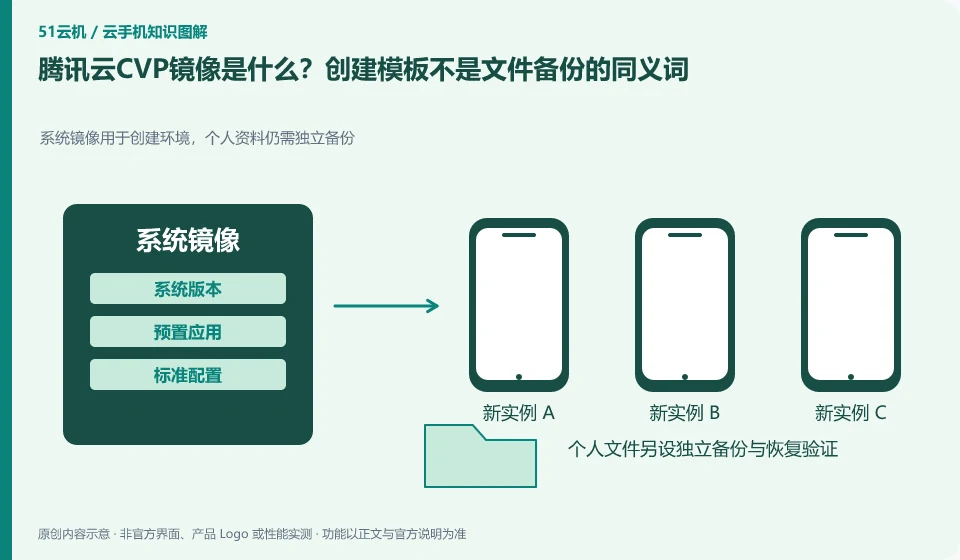
Regarding Tencent CloudCVP, the key to this issue is: the image is a template for creating an Android environment, which can include system and preset content; backup focuses on restoring your existing data. When you see the "Mirror" button, you cannot automatically assume that the login state, all user files, and external service data can be completely restored.
Known information about Tencent CloudCVP and the key points of this verification
Tencent CloudCVP provides cloud Android resources and multiple integration portals. The official product page includes AI agent scenarios, and the documentation distinguishes between cloud API and client SDK.
The public image provides a standard initial environment, records the version after selection, uses the new instance to check the application process, and does not use it as a backup of user data.
The evidence boundaries of this article are: public image documents require enterprise real-name authentication; AI scenario introduction does not guarantee that any agent can run without configuration.
How this issue applies to this product
The Tencent CloudCVP public image document explains the path to create an instance in a standard initial environment, and also includes prerequisites such as enterprise real-name authentication. The role of the public image is different from the business data generated by the user in the future: it can re-create the same environment, but it does not mean that all files and login status in the old instance have been backed up.
The project can record the selected image, instance configuration and application package version, and complete installation and core task verification in the new environment. Before changing the image or creating a new instance, arrange the export of personal data and business output first; when there is a lack of export evidence, do not regard "can build another one" as a recovery plan. If you plan to make your own template, you need to check the current official capabilities and permissions separately. The complete production function cannot be launched from the public mirror page. This article does not conduct actual testing of image compatibility, and application adaptation is still limited to the actual verification scope of the project.
Mirror tests should use test accounts rather than real member login status. Even if it is just for a quick demonstration, personal credentials are not left in the initial template that can be created repeatedly; the resources that can be created and the data that the organization allows to be disseminated need to be confirmed separately, and the default configuration cannot be used to replace the judgment.
Understand what this question covers
Record the version and default application when using public images, and remove personal accounts and credentials before making custom templates. After the template is updated, it should be accepted on the newly created test instance and should not directly cover the production environment. When files need to be restored, independent backup and export methods should also be confirmed.
Check in this order
- Record the public images and application versions used to establish a repeatable initial state.
- Remove sensitive accounts before making the template, and check the included and excluded content.
- Create new device validations from templates and schedule updates and rollbacks.
Sources and scope
- Tencent CloudCVP product page
- Tencent Cloud mobile technology access
- Tencent Cloud mobile public image
Sources checked on October 26, 2026. This article combines AI-assisted research of public information with independent analysis and verification suggestions; we have not conducted a hands-on test of this product. Features and costs depend on the current official documentation and your order.
Continue reading:Cloud phone basics · Cloud phone troubleshooting guide · Brand reference directory。
Related questions to explore
- Before provisioning Tencent Cloud CVP: eligibility and responsibilities
- Tencent CVP Cloud API versus client SDK: backend and session responsibilities
- Why give an AI Agent Tencent CVP? Environment, observation and verification
Back to the brand and product knowledge directory · Browse cloud phone topics