
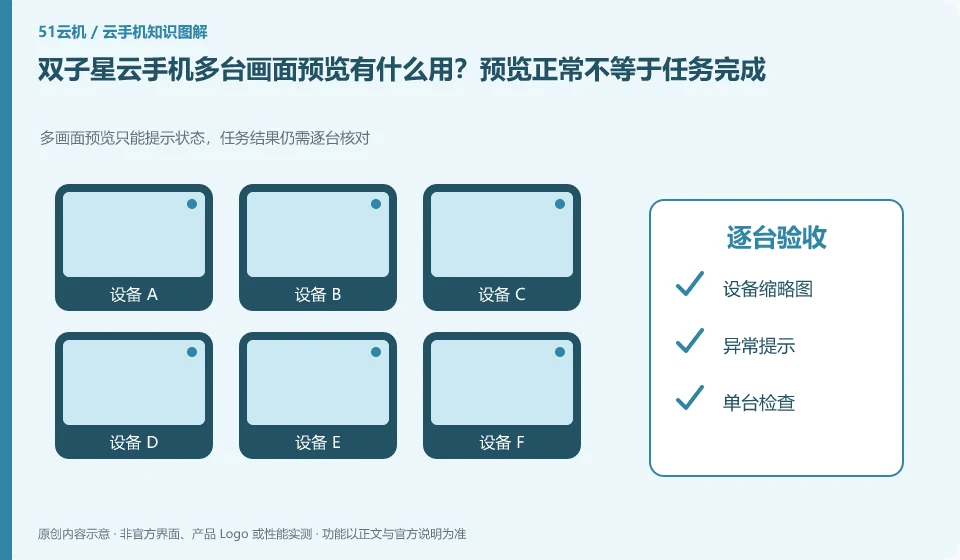
Regarding Shuangzixing Cloud phone, the key to this issue is: preview is suitable for quickly discovering black screens, failed logins, or unexpected pop-ups, but thumbnail screens cannot replace task results. Record the three states of device online, application foreground and business completion separately to avoid thinking that everything is normal when you see a bright screen.
Known information about Shuangzixing Cloud phone and the key points of this verification
Shuangzixing Cloud phone is introduced as ARM cloud phone by the official website of Arm Cloud Technology. The official website lists different system configurations and cross-port entrances, and the desktop guide introduces upload and factory restore operations.
Thumbnail previews are mainly used to inspect exceptions. Task completion should be based on application records and output files, and cannot be inferred from online marks.
The evidence boundary of this article is: the response speed and concurrency capabilities written on the official website belong to the vendor's propaganda and are not regarded as the results measured by this site.
How this issue applies to this product
When Shuangzixing is used on multiple devices, the thumbnail preview is suitable for first finding a black screen or obvious pop-up windows, and then entering a single device for processing. The judgment that the device is online and that the application has completed the task are not the same judgment; those who need to retain test results for a long time cannot just rely on a set of normal thumbnails as a record of results.
Before starting to use it, assign a clear purpose and number to the device, and define which screens are considered abnormal. After a problem occurs in the preview, you should enter the specific device to check the application records and file output, and then decide to restart or contact support. The client displays more windows at the same time, which may increase the local load, so the number should be tested based on your own computer and network. The official website concurrency and response promotion does not provide a unified personal window upper limit, and this article does not measure this performance; important tasks still need to establish independent evidence of completion.
You can open only the groups that currently need to be inspected by purpose. This makes it easier to find what type of task the exception belongs to, and also reduces interference from irrelevant windows; closing the preview should not be counted as closing the cloud application. Whether to continue running and whether to bill is still determined by the environment and current service rules.
Understand what this question covers
An increase in the number of small windows may also put pressure on local decoding and the network. Select task-relevant device groups first and reduce unnecessary preview frequency. For important tasks, you should enter a single station to check the final records or documents, rather than just confirm by screenshots of the list.
Check in this order
- Group by purpose and define online, abnormal and completed judgment criteria.
- Start with a small number of windows and observe local resources and screen updates.
- Check the abnormal equipment individually and record the task results and next steps.
Sources and scope
Sources checked on October 26, 2026. This article combines AI-assisted research of public information with independent analysis and verification suggestions; we have not conducted a hands-on test of this product. Features and costs depend on the current official documentation and your order.
Continue reading:Cloud phone basics · Cloud phone troubleshooting guide · Brand reference directory。
Related questions to explore
- What is Shuangzixing Cloud Phone? Environment, access and intended users
- Shuangzixing client installation versus cloud APK installation
- Shuangzixing Cloud Phone restart versus factory reset
Back to the brand and product knowledge directory · Browse cloud phone topics