
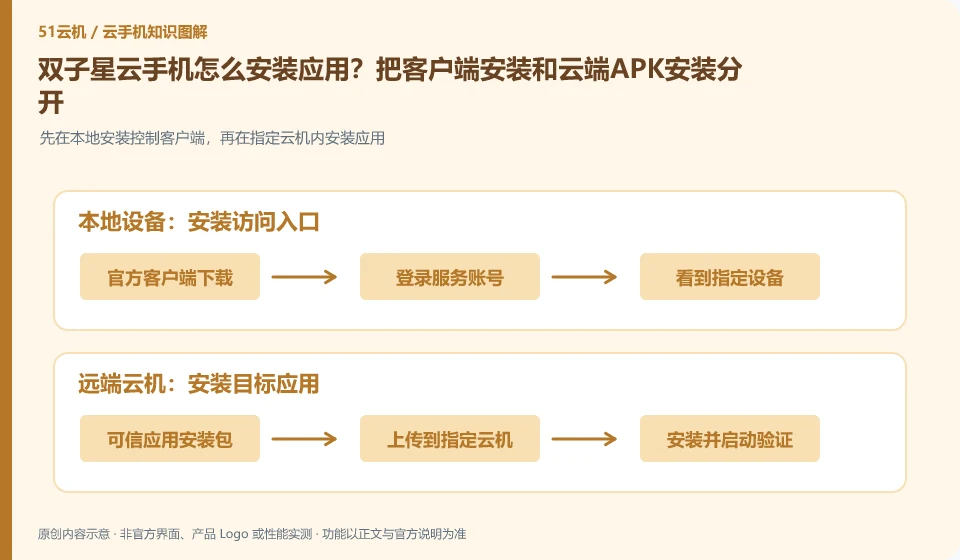
Regarding Shuangzixing cloud phone, the key to this issue is: to use the application in the cloud phone, the application must be installed into the cloud Android environment; just download the APK to the local phone, and the cloud will not automatically appear. First confirm whether your client provides uploading or application market, and then choose the path that suits you.
Known information about Shuangzixing Cloud phone and the key points of this verification
Shuangzixing Cloud phone is introduced as ARM cloud phone by the official website of Arm Cloud Technology. The official website lists different system configurations and cross-port entrances, and the desktop guide introduces upload and factory restore operations.
The official desktop guide lists two installation methods: uploading and downloading from the cloud machine; choose the one that can verify the results based on the current version.
The evidence boundary of this article is: the response speed and concurrency capabilities written on the official website belong to the vendor's propaganda and are not regarded as the results measured by this site.
How this issue applies to this product
The Shuangzixing Desktop User Guide provides two ideas for uploading applications and downloading them within Cloud Phone. They will eventually hand over the installation package to Cloud Android for processing, but the source and failure location are different. If the desktop upload portal is not suitable for the current file, you can first check whether there is available distribution in the cloud browser or regular application channels. It cannot be concluded that the same button exists on all clients.
These two paths are suitable for a small-scale comparison: use the same legal installation package and the same test cloud machine to record whether the file has arrived, the installation prompt and the opening result. Only when the local upload fails, the problem may still be in the file transfer; if both paths fail during the installation phase, then look further at the system, architecture, or package itself. The official website does not promise compatibility for any APK, and this article does not expand "can be uploaded" to "available for all applications".
Cloud browser downloads also need to verify the true source of the file. Allowing cloud machines to access a website has nothing to do with Shuangzixing's official endorsement of the website; you should choose effective distribution from application developers, do not use unfamiliar downloaders to repair failures, and do not open irrelevant account permissions for installing an application.
Understand what this question covers
Installation failure may also be related to file corruption, package format, Android version or CPU architecture. Being able to upload means that the file has arrived, being able to display the installation icon means that the installation is complete, and being able to log in and complete the task after opening means that the adaptation is successful. The results of these layers should be verified separately.
Check in this order
- Obtain the installation package from the application developer or official store, and check the file name and version.
- First test the cloud machine installation on a single machine and record the installation prompts instead of continuously reinstalling.
- Open the application to complete login and a core operation, and then decide whether to retain the environment.
Sources and scope
Sources checked on October 26, 2026. This article combines AI-assisted research of public information with independent analysis and verification suggestions; we have not conducted a hands-on test of this product. Features and costs depend on the current official documentation and your order.
Continue reading:Cloud phone basics · Cloud phone troubleshooting guide · Brand reference directory。
Related questions to explore
- What is Shuangzixing Cloud Phone? Environment, access and intended users
- Shuangzixing Cloud Phone restart versus factory reset
- Shuangzixing Cloud Phone on mobile, desktop or web: choosing access
Back to the brand and product knowledge directory · Browse cloud phone topics