
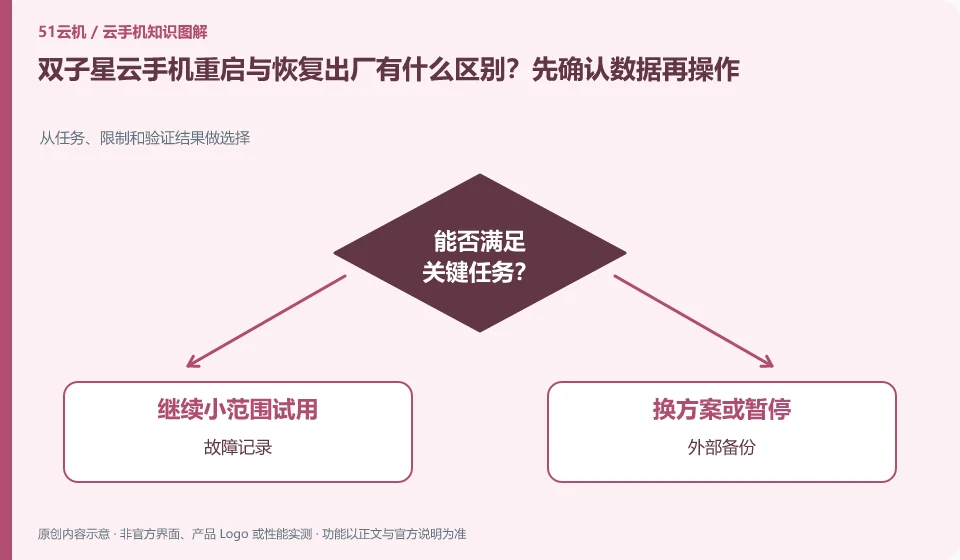
Regarding the Shuangzixing Cloud phone, the key to this problem is: restarting usually means restarting the current system, while restoring the factory means returning the environment to its original state. The two actions cannot be regarded as the same "repair". When encountering a freeze, you should collect evidence and backup first, and then use operations with a smaller scope of damage.
Known information about Shuangzixing Cloud phone and the key points of this verification
Shuangzixing Cloud phone is introduced as ARM cloud phone by the official website of Arm Cloud Technology. The official website lists different system configurations and cross-port entrances, and the desktop guide introduces upload and factory restore operations.
When the restart and factory restore entry appears in the tutorial, read the confirmation box first; changes in the interface position cannot change the order of backup priority.
The evidence boundary of this article is: the response speed and concurrency capabilities written on the official website belong to the vendor's propaganda and are not regarded as the results measured by this site.
How this issue applies to this product
The Shuangzixing Desktop Guide lists rebooting and factory reset. The existence of the guide can help identify the two types of operations, but it cannot replace the confirmation prompt during execution. Especially when the old screenshot is inconsistent with the current-end layout, the button description and actual data should influence the judgment, and you cannot operate just by the location of the button.
Those who need to retain the teaching demonstration environment can divide the preparation before recovery into three parts: an externally readable copy of the material, a normal method of retrieving the application account, and an application list to re-establish the environment. The three materials solve different problems, and one APK alone cannot restore all drafts. If only the remote screen freezes, first check whether you can re-enter the original device; clear it only when initialization is really needed, and redo key function verification after initialization to record the difference between the old and new environments.
The completion of initialization does not mean that the original task has been resumed. When re-entering, you should also compare the application version with the original configuration to confirm that the necessary files come from a reliable copy; if only some steps are passed, the remaining gaps should be clearly recorded to avoid mistakenly recording the accessible blank desktop as a complete repair of the environment.
Understand what this question covers
Third-party apps may save progress on the server, or they may leave drafts, screenshots, and local archives in the cloud phone. Even if the login account is still there, the files may not be restored. Before factory reset, you should confirm the actual storage location of each type of data, rather than just seeing whether the account can be logged in again.
Check in this order
- Export drafts and local files and open them once outside the cloud to confirm they are readable.
- Save the device number and fault screenshot, and try to restart the application or system first.
- If you really need to clear it, check the target device and the confirmation prompt, and re-accept it after completion.
Sources and scope
Sources checked on October 26, 2026. This article combines AI-assisted research of public information with independent analysis and verification suggestions; we have not conducted a hands-on test of this product. Features and costs depend on the current official documentation and your order.
Continue reading:Cloud phone basics · Cloud phone troubleshooting guide · Brand reference directory。
Related questions to explore
- What is Shuangzixing Cloud Phone? Environment, access and intended users
- Shuangzixing client installation versus cloud APK installation
- Shuangzixing Cloud Phone on mobile, desktop or web: choosing access
Back to the brand and product knowledge directory · Browse cloud phone topics