
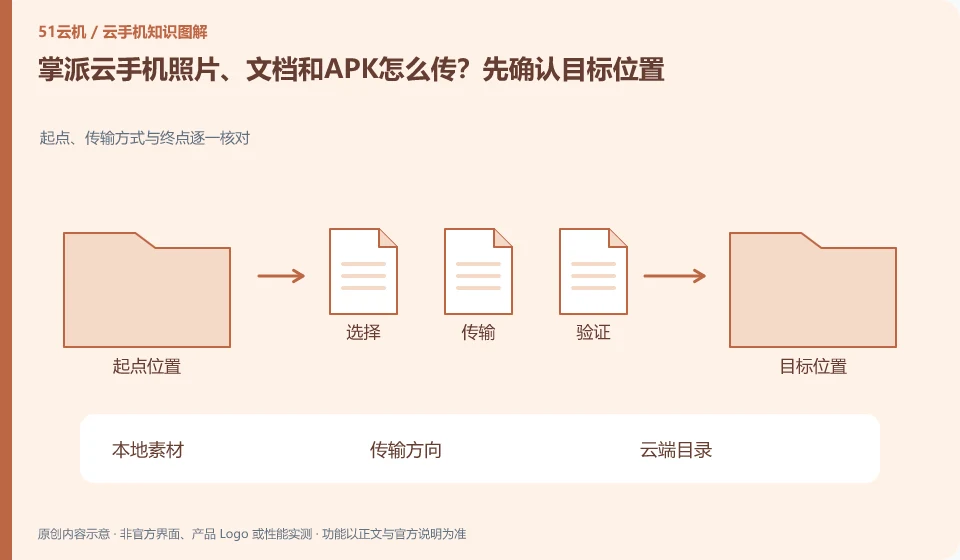
Regarding the Palmpai Cloud phone, the key to this issue is: the file transfer direction should be confirmed first: transferring from the local to the cloud, and importing from the cloud back to the local, are two processes. There is progress in the transfer entry, but it does not mean that the file has appeared in the application album or attachment list; the directory and readability also need to be checked.
Known information about Palmpai Cloud phones and the key points of this verification
The Palmpai Cloud phone official website explains the self-developed ARM server and cloud phone products. The official website provides Windows, Android, iOS and web portals, introducing batch synchronization services.
Verify the upload and export paths in the client you are using. If the official website does not publish file limits, do not describe capacity or formats as unlimited.
The evidence boundary of this article is: no hardware disassembly or performance verification has been conducted; the introduction of independent technology routes comes from official instructions.
How this issue applies to this product
The Palmpai Cloud official website introduces multi-terminal and batch services, but does not provide unified file restrictions for all terminals in the information available this time. Therefore, this article lists uploading, exporting, and directory visibility as items that need to be verified on the current client, and does not draw conclusions about fixed buttons or unlimited capacity based on the brand function list.
To share course materials with a team, distinguish administrators distributing files from members exporting their own app results. For distribution, check that each device receives the right version. For export, check that files leave the rented environment and that members have the required permissions. Test a round trip with a non-private image and document before handling real materials, recording the local download folder, transfer copy and cloud app separately. If you need customized batch transfers, confirm quantities and formats with the vendor; synchronized controls do not establish that files synchronize automatically.
When cleaning a staging copy regularly, make sure it's not the only version available. Old files with similar names are easily confused with new results. Keeping the version and date can help to judge; whether the file is truly recoverable must be verified by reading, not just by having a record in the transfer list.
Understand what this question covers
Photos, documents, and installation packages are used differently and may have file size and format restrictions. First upload a small sample without sensitive information, go through the entire process, and then upload the official materials in batches. Comparing file names, quantities or verification information after transmission can reduce missed transmissions and misuse of old versions.
Check in this order
- Specify the transfer direction, destination directory, and application using the file.
- Use small files to verify the three links of uploading, downloading and opening in the application.
- After the official transfer, check the quantity and version, and delete unnecessary transfer copies.
Sources and scope
Sources checked on October 26, 2026. This article combines AI-assisted research of public information with independent analysis and verification suggestions; we have not conducted a hands-on test of this product. Features and costs depend on the current official documentation and your order.
Continue reading:Cloud phone basics · Cloud phone troubleshooting guide · Brand reference directory。
Related questions to explore
- Palmpai's ARM servers: separate technical architecture from user experience
- Palmpai Cloud Phone on mobile, desktop or web: choosing access
- Palmpai synchronized controls: which actions should remain separate?
Back to the brand and product knowledge directory · Browse cloud phone topics