
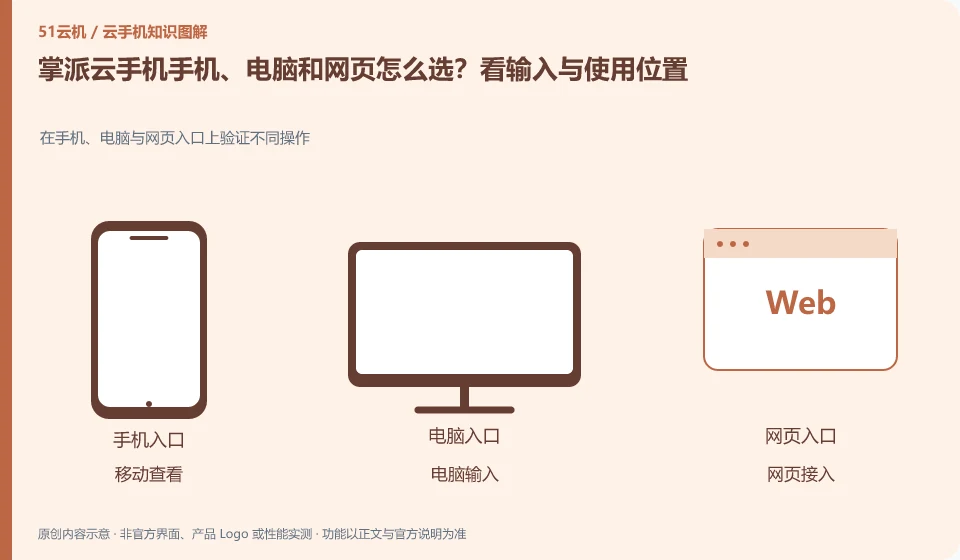
Regarding the Palmpai Cloud phone, the key to this issue is: frequently inputting and organizing files is usually more suitable for computers; temporary viewing is suitable for mobile phones; when it is inconvenient to install software, you can first check whether there is a web entrance. The ability to log in with multi-terminal accounts is consistent with all functions, which are two conclusions that need to be verified separately.
Known information about Palmpai Cloud phones and the key points of this verification
The Palmpai Cloud phone official website explains the self-developed ARM server and cloud phone products. The official website provides Windows, Android, iOS and web portals, introducing batch synchronization services.
Choose from the entry points listed on the official product page, first verify the target device and necessary functions, and then consider whether you need to retain multiple access points for a long time.
The evidence boundary of this article is: no hardware disassembly or performance verification has been conducted; the introduction of independent technology routes comes from official instructions.
How this issue applies to this product
The Palmpai Cloud official website lists access portals for Windows, Android, iOS and web pages. This gives the user a clue to choose the control side, but does not change where Android in the cloud runs, nor does it mean that either side provides exactly the same batch, file, and input capabilities. When choosing the main entrance, you should focus on your most frequent tasks.
For example, when long input is required, you can first verify the text and paste it on the computer; if you only view it on the road, confirm that the mobile phone can find the same device; when using the web page on a temporary public computer, you should also verify the exit session and automatic login processing. The above is the usage path that you need to verify, not the actual client test that has been completed by this site. Team customization or batch requirements should further specify the terminal type and operating scope to allow officials to confirm the delivery boundary. Management capabilities cannot be calculated solely from the number of entrances.
When temporarily accessing a web page or an unfamiliar computer, avoid leaving account retrieval information in the browser. Confirm input, download and exit separately, especially if the file has been dropped to a shared computer; ending cloud viewing will not automatically delete the copy of the material saved on that computer.
Understand what this question covers
Keyboard, clipboard, file upload, sound, and multi-window capabilities may differ between clients. If the device cannot be found after cross-end, it may also be related to account channel, region or device filtering. First verify whether the same device can appear, and then check the target functions to avoid buying another environment by mistake.
Check in this order
- Make a list of the locations, systems, and input requirements you use most.
- Use the same account to search for the same device and check the area and device number.
- Choose the main entrance after comparing necessary functions such as keyboard, files and sounds.
Sources and scope
Sources checked on October 26, 2026. This article combines AI-assisted research of public information with independent analysis and verification suggestions; we have not conducted a hands-on test of this product. Features and costs depend on the current official documentation and your order.
Continue reading:Cloud phone basics · Cloud phone troubleshooting guide · Brand reference directory。
Related questions to explore
- Palmpai's ARM servers: separate technical architecture from user experience
- Palmpai synchronized controls: which actions should remain separate?
- Testing games on Palmpai Cloud Phone: login, controls and platform rules
Back to the brand and product knowledge directory · Browse cloud phone topics