
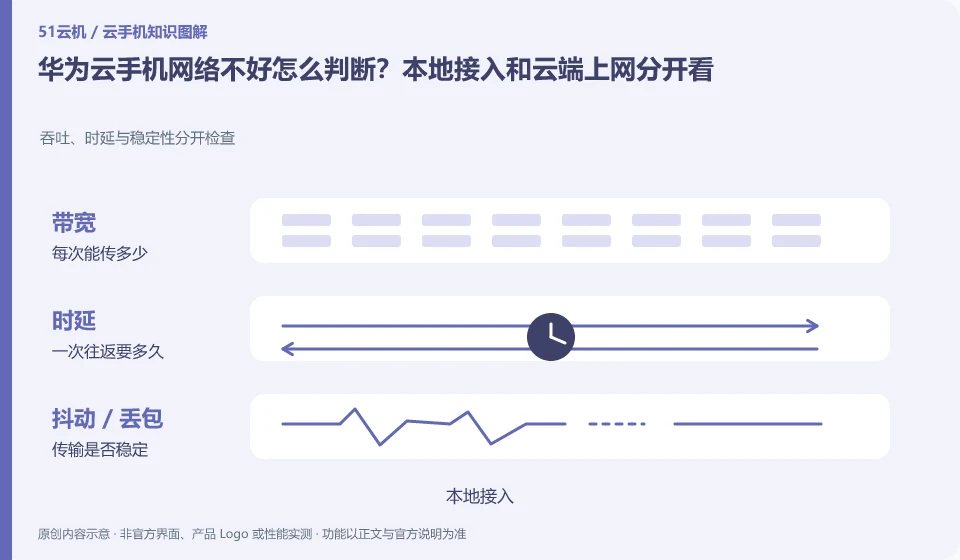
Regarding the Huawei Cloud phone, the key to this issue is that the cloud phone involves at least two networks: your access link to the cloud screen, and the Internet link from the cloud Android to the target service. Even if the local speed test is fast, there is no guarantee that accessing an application service from the cloud will be normal; and vice versa.
Known information about Huawei Cloud phones and the key points of this verification
Huawei CloudKooPhone and cloud phone server CPH are service levels that need to be distinguished. KooPhone documentation provides examples and node concepts; CPH documentation provides server and access management instructions.
The network and end-cloud access links are tested separately, and complex enterprise network conditions are first checked by organizational technicians based on current documents.
The evidence boundary of this article is: the activation, SDK and billing models of the two product lines cannot be directly equivalent, nor does it mean that all third-party application authorizations will be automatically obtained after purchase.
How this issue applies to this product
Huawei CloudKooPhone and CPH belong to different delivery levels. For network troubleshooting, you must first select the correct document. The access issues of KooPhone end users and the connection management with CPH underlying resources should not be handled by the same consumer client tutorial. There may also be access policies and access boundaries within the enterprise, which should be checked by organizational technical personnel in conjunction with the current architecture.
It is easier to divide the work by drawing the link into three segments: member terminals to access services, access to cloud phone resources, and cloud applications to business services. The passing of a certain section does not prove that the entire business is available. First use the test identity to confirm the device allocation, and then distinguish whether the stream is established and whether the business page can be opened. Configuration changes should retain the original values and control the scope to avoid relaxing all environments in order to troubleshoot one member. Official website security and multi-end capabilities do not replace an organization's own network verification and change records.
The network conditions used in the pilot should also be entered into the report, such as the endpoints and access ranges allowed by the organization. Without these prerequisites, subsequent changes in employees or locations may not be possible; public cloud product introductions should not obscure the impact of the local organizational network on the final experience.
Understand what this question covers
If the desktop click itself is slow, check the local connection and streaming settings first; if only one App content is slow to load, you should check the application and cloud export. When troubleshooting, keep the original device and change the local network or image quality one by one. Do not replace network diagnostics with system reinstallation to avoid losing available evidence and data.
Check in this order
- Record whether desktop interaction and application networking are abnormal at the same time.
- Switch local networks or reduce streaming image quality on the same device.
- Provide feedback on access issues and application networking issues respectively, and provide time periods and error prompts.
Sources and scope
- KooPhone cloud phone service overview
- Huawei CloudKooPhone product page
- Huawei CloudCPH product introduction
Sources checked on October 26, 2026. This article combines AI-assisted research of public information with independent analysis and verification suggestions; we have not conducted a hands-on test of this product. Features and costs depend on the current official documentation and your order.
Continue reading:Cloud phone basics · Cloud phone troubleshooting guide · Brand reference directory。
Related questions to explore
- Huawei KooPhone versus CPH: different service layers
- Huawei cloud phone instance and node editions: budgeting and management units
- Huawei cloud phones for work: data and organizational requirements
Back to the brand and product knowledge directory · Browse cloud phone topics