
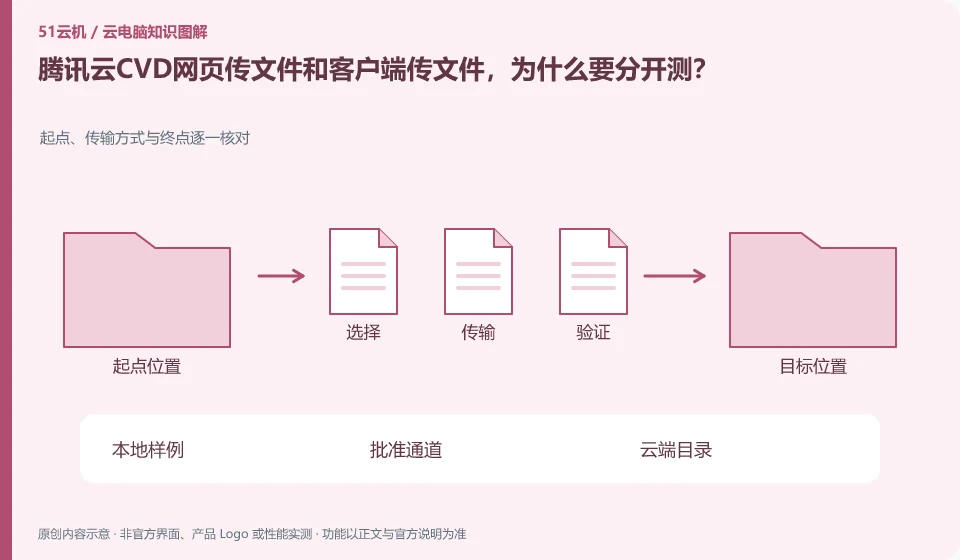
The transmission restrictions and peripheral capabilities of different access methods may be different, and the current region and client documentation should prevail. The upload and download instructions in the operation document can only be used in the corresponding environment and cannot be regarded as a permanent unified upper limit for all CVD entrances.
Who this is for:General readers and small teams who are working on Tencent CloudCVD cloud desktop and need to solve the specific problem in the title. Data verification date: 2026-10-26.
First, identify the product line
The Tencent CloudCVD product page uses cloud desktop for mobile office, security development, education and training, and online design. It also provides access to life cycle management and desktop strategies. It is a desktop service that can be configured and distributed. It cannot be understood as just an ordinary cloud host or Tencent's cloud gaming.
Distinguish the save location from an independent backup
First use the small document to check the direction and save path, and then use the representative project package to confirm that the dependencies are complete. Keep track of the browser or client version. If large files fail, check official restrictions first. Do not repeatedly change extensions or bypass organizational approval for transfer.
"Saved" requires answering where it is saved: cloud desktop system disk, independent data disk, application account cloud space, or the mapping directory of the local computer. If the file is still there after reconnecting, it only means that the current environment has retained it, but it cannot prove that it can still be restored after unsubscribing, resetting, changing regions, or account abnormalities. Prepare a copy of important documents that is independent of the desktop life cycle to have an operational exit path.
For a file-transfer check, try a small document with a Chinese filename and a project archive with subfolders. Compare file sizes and modification times, then open the files in the destination environment. For projects, also check images, fonts, plugins and relative paths. If an administrator has disabled clipboard access or file mapping, it is a policy restriction. Request an approved transfer method rather than using an unknown file-sharing service or bypassing company controls.
Check each requirement for your task
- List the locations of the system disk, data disk, application cloud space, and local directories.
- Transfer the sample without sensitive information, reopen and check the dependent files.
- Confirm the consequences of expiration and reset according to official instructions, export an independent copy and verify that it is readable.
Not all capabilities of browser connections are created equal
The web portal is suitable for temporary access, but its keyboard shortcuts, audio and video permissions, file transfer and USB channels are subject to the constraints of the browser and product implementation. Being able to see the desktop in the web page does not mean that every capability in the client exists. When checking the help documentation, also note the browser name, version, operating system, and whether the portal belongs to the personal or organizational version.
Where the conclusion applies and what to do next
The pre-installation of AI Agent in the package does not mean that the Agent has obtained business authorization by default, and cloud desktop cannot handle software copyright and data approval for users.
This article is based on public information. We have not purchased or tested the product. The scenarios describe ways to verify suitability, not customer case studies. Features and terms depend on the current official documentation for the relevant version.
Official sources and further reading
- Tencent CloudCVD Product Introduction: Official description of scenarios such as virtual desktop, education and training, security development, GPU desktop and life cycle management.
- Tencent Cloud Desktop Product Introduction: Product overview and architecture document, marked updated on 2026-04-27.
- Tencent Cloud desktop operation documentation: Desktop connection and file transfer operations reference; different regions and client restrictions need to be reviewed.
Read more:Cloud PC knowledge hub · Find an article for your question · Tencent CloudCVD cloud desktop product line identification
Related questions to explore
- Tencent Cloud CVD versus CVM: buying a desktop or a server
- Tencent Cloud CVD for practical training: testing course templates
- Tencent Cloud Desktop for AI Agents: how much access should you grant?
Back to the brand and product knowledge directory · Browse cloud PC topics