
Cloud Windows can be used as a software running environment for research, but commercial design software and plug-ins still have their own device, region and virtualization licenses. The hardware displayed on the official website cannot be taken as proof that all software is legal and usable.
Who this is for:Casual readers and small teams who are working on Shadow PC, need to solve a specific problem in the title. Data verification date: 2026-10-26.
First, identify the product line
Shadow official help describes Shadow PC as a remotely accessible cloud Windows computer and separates it from the Shadow Drive storage service. When researching such overseas products, in addition to looking at the hardware, you must also confirm the service area, payment qualifications, network accessibility and software licensing.
Design tasks migrate project dependencies together
First sort out the software, plug-ins and licenses, and then confirm whether cloud activation is allowed and how to unbind the device. Use legal public projects for testing, check fonts and textures and export previews; when preparing to move out, process authorization and files first, not just close the client.
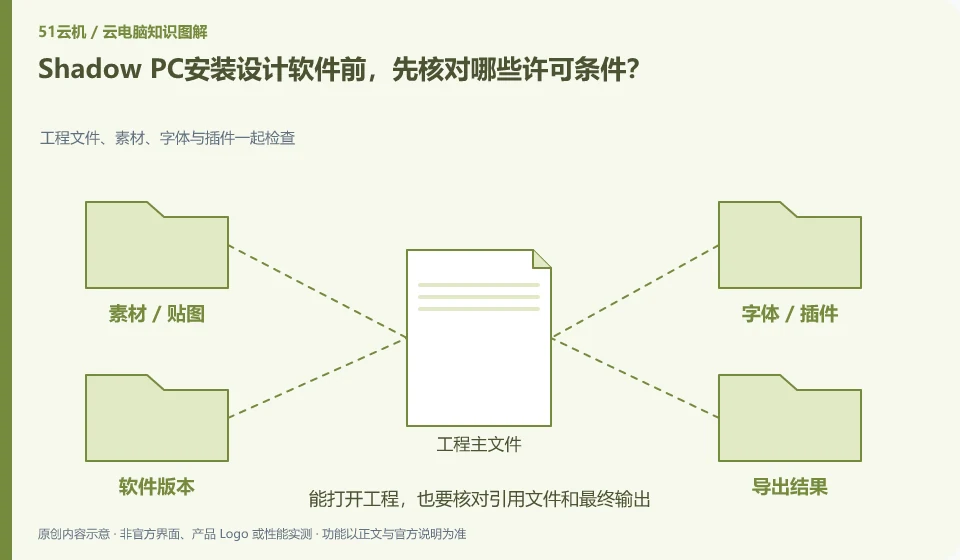
Design projects often have more than one master file, and also reference fonts, textures, linked materials, plug-ins and renderers. Being able to open design software on a cloud PC is just the first step; you need to use representative projects to verify views, colors, input devices, rendering and export. If the project relies on a local shared directory, changes in the relative path after migrating to the cloud may also cause image loss, which is not necessarily due to a graphics card failure.
Copy an appropriately licensed sample project that you are allowed to transfer. Put its dependencies in a separate folder and create a reference preview. Test the same view and export format; comparing only the streamed image can be misleading because compression affects fine lines and text. Check client support separately for drawing tablets, 3D mice and professional color workflows. A working ordinary mouse does not validate those peripherals.
Check each requirement for your task
- Organize projects, textures, fonts, plug-ins and software licenses.
- Open the same sample and examine the dependency paths and key views.
- Complete a render or export and check the results and color requirements on another device.
Brand accounts, application accounts and device accounts are managed separately
The cloud PC login account is responsible for accessing the desktop. Office software, game stores or business systems may have their own accounts. Logging out of one account will not automatically log out all other applications, and uninstalling the client does not mean revoking the remote session. Before you prepare to decommission your service or hand over your device, you should check your browser, password storage, app authorization, and device binding one by one.
Where the conclusion applies and what to do next
Overseas official website display packages do not mean that mainland China can purchase or obtain appropriate delays; it cannot provide a way to bypass regional restrictions.
This article is based on public information. We have not purchased or tested the product. The scenarios describe ways to verify suitability, not customer case studies. Features and terms depend on the current official documentation for the relevant version.
Official sources and further reading
- Shadow: What is Shadow PC:Officially defined complete cloud Windows computer product.
- Shadow product introduction: The official distinction between Shadow PC and Shadow Drive.
- Shadow US Station: Regional purchasing and product import; no commitment is made to availability in other regions.
Read more:Cloud PC knowledge hub · Find an article for your question · Shadow PC product line identification
Related questions to explore
- Why Shadow PC is more than cloud gaming: checking full-desktop capabilities
- Shadow PC versus Shadow Drive: computing and storage are separate
- Can you buy Shadow PC in your region? Check official availability
Back to the brand and product knowledge directory · Browse cloud PC topics