
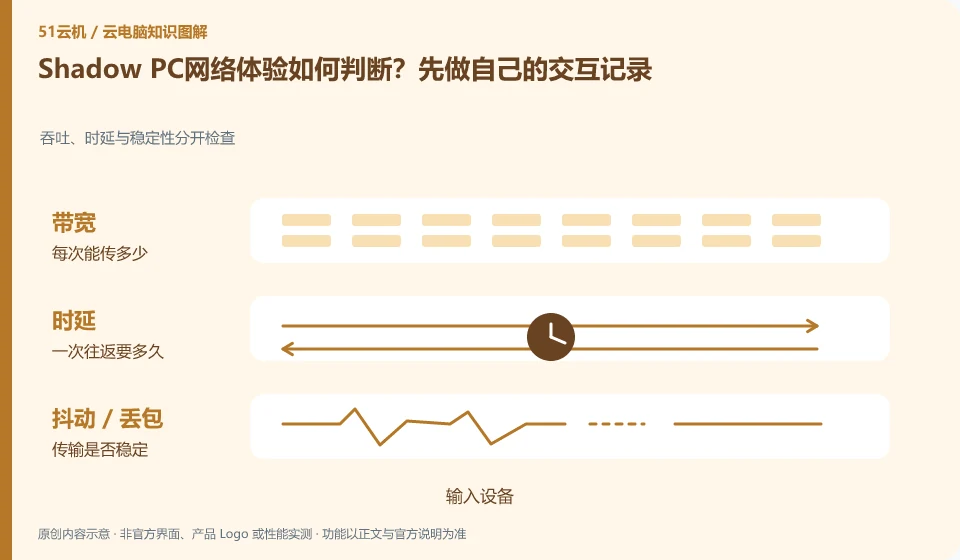
Whether the network is suitable should be determined by the experience under approved regions and real terminals. The official hardware description cannot guarantee everyone's link, jitter and decoding performance, especially across regions, which cannot be judged only by download speed measurement.
Who this is for:Casual readers and small teams who are working on Shadow PC, need to solve a specific problem in the title. Data verification date: 2026-10-26.
First, identify the product line
Shadow official help describes Shadow PC as a remotely accessible cloud Windows computer and separates it from the Shadow Drive storage service. When researching such overseas products, in addition to looking at the hardware, you must also confirm the service area, payment qualifications, network accessibility and software licensing.
Cakes should be located hierarchically by link
First, fix a low-risk task, record the input response, screen stabilization and disconnection and reconnection, and then compare wired and Wi-Fi. Do not use unknown accelerated transfers or shared credentials to troubleshoot; if regional or network conditions are not met, you should choose officially supported alternatives.
From button pressing to screen return, it includes at least local input, network transmission, cloud processing, encoding and local decoding. A fast download speed test only shows that a certain download link performs better, and cannot alone prove that the cloud desktop interaction is smooth. When diagnosing, fix the image quality and perform the same task, and record wired or Wi-Fi, usage period, nodes, and problem performance separately, so that you can separate a single incidental freeze from a persistent problem.
If the picture is blurry but the mouse is slow, first observe the bit rate and image quality; if the operation is late but the picture is clear, pay attention to the delay and jitter; if only large files are uploaded slowly, check the upload path and bandwidth. Only change one variable at a time, for example, first change Wi-Fi to wired. Do not change nodes, adjust resolution, and reinstall the client at the same time. It is easier to get an effective answer by submitting the steps to reproduce the problem to official support than by simply saying "the configuration is not working".
Check each requirement for your task
- Record the node, network type and time period when the problem occurred under the same task.
- Compare wired vs. Wi-Fi and different image qualities in turn, keeping other conditions unchanged.
- Remove account information before sorting out screen recordings or logs, and then submit reproducible phenomena.
Complete the first verification with real small tasks
The goal of the first experience is not to take a screenshot after opening the desktop, but to prove that a daily task can be completed completely. Select a sample document without privacy, log in, open the software, enter Chinese, save, exit and connect again. By leaving results at each step, you can distinguish between account problems, software problems and resource recovery problems. The length, quota and configuration of the free trial may change, and it is not appropriate to describe old activities as long-term rights and interests.
Where the conclusion applies and what to do next
Overseas official website display packages do not mean that mainland China can purchase or obtain appropriate delays; it cannot provide a way to bypass regional restrictions.
This article is based on public information. We have not purchased or tested the product. The scenarios describe ways to verify suitability, not customer case studies. Features and terms depend on the current official documentation for the relevant version.
Official sources and further reading
- Shadow: What is Shadow PC:Officially defined complete cloud Windows computer product.
- Shadow product introduction: The official distinction between Shadow PC and Shadow Drive.
- Shadow US Station: Regional purchasing and product import; no commitment is made to availability in other regions.
Read more:Cloud PC knowledge hub · Find an article for your question · Shadow PC product line identification
Related questions to explore
- Why Shadow PC is more than cloud gaming: checking full-desktop capabilities
- Shadow PC versus Shadow Drive: computing and storage are separate
- Can you buy Shadow PC in your region? Check official availability
Back to the brand and product knowledge directory · Browse cloud PC topics