
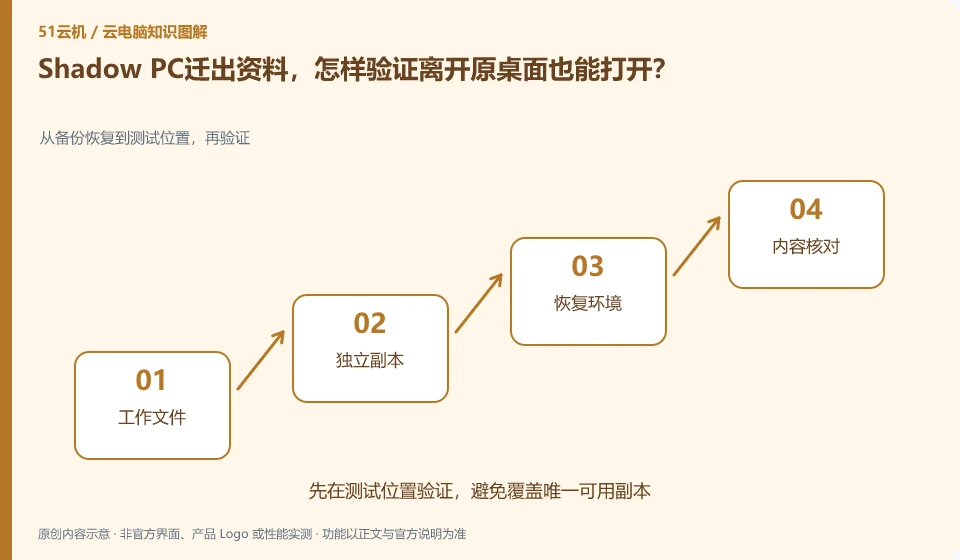
Checkout verifies individual files and project dependencies, rather than just completing the download. The official separates PC and Drive, so you should also know whether to save data on the desktop, additional storage, or use your own cloud account.
Who this is for:Casual readers and small teams who are working on Shadow PC, need to solve a specific problem in the title. Data verification date: 2026-10-26.
First, identify the product line
Shadow official help describes Shadow PC as a remotely accessible cloud Windows computer and separates it from the Shadow Drive storage service. When researching such overseas products, in addition to looking at the hardware, you must also confirm the service area, payment qualifications, network accessibility and software licensing.
Whether the backup is valid depends on the recovery
Organize the main files, fonts, materials and application settings, and open them in the new environment with corresponding authorized software. Cloud-specific paths and plug-ins may not be migrated along with the files. These dependencies must be handled first before ending the old service; expiration and retrieval rules should be confirmed according to the current terms.
Multiple copies of desktop resources, synchronized disks and independent backups solve different problems. Multiple copies focus on service infrastructure failures. Synchronization may synchronize accidental deletions. Independent backup requires the ability to retrieve data at a specific time. Just because the product introduction mentions data protection, you cannot omit your own export and recovery checks. Important documents also need to be considered whether they can be retrieved when the account is unavailable or the service expires.
Prepare a small recovery drill: export the documentation, a project with dependencies, and the directory listing to an approved location and open it in another environment. Verify content, file names, permissions, and app versions, and record where to restore from, who performed the restore, and who to contact if the restore fails. Practice usage examples and do not delete production data to verify recovery capabilities.
Check each requirement for your task
- Distinguish what risks resource copies, synchronization and independent backups cover respectively.
- Export samples and dependencies, restore and open them in another environment.
- Record the recovery steps, storage period, and retrieval channels after service exit.
Migration requires an old environment that can be returned to
It’s easier to spot problems with two rounds of verification: the first to check the process with a sample, and the second to check the results with a real, approved working copy. The frozen content and the content that can still be modified in the migration window should be clear to avoid version conflicts caused by editing on both sides. After the switch is successful, keep the necessary rollback time, confirm that the data is complete, and then clean up the old resources according to the retention policy.
Where the conclusion applies and what to do next
Overseas official website display packages do not mean that mainland China can purchase or obtain appropriate delays; it cannot provide a way to bypass regional restrictions.
This article is based on public information. We have not purchased or tested the product. The scenarios describe ways to verify suitability, not customer case studies. Features and terms depend on the current official documentation for the relevant version.
Official sources and further reading
- Shadow: What is Shadow PC:Officially defined complete cloud Windows computer product.
- Shadow product introduction: The official distinction between Shadow PC and Shadow Drive.
- Shadow US Station: Regional purchasing and product import; no commitment is made to availability in other regions.
Read more:Cloud PC knowledge hub · Find an article for your question · Shadow PC product line identification
Related questions to explore
- Why Shadow PC is more than cloud gaming: checking full-desktop capabilities
- Shadow PC versus Shadow Drive: computing and storage are separate
- Can you buy Shadow PC in your region? Check official availability
Back to the brand and product knowledge directory · Browse cloud PC topics