
Commercial use, system version and management scope should be checked based on the actual official product line and contract, and pages for personal game use should not be used directly for corporate procurement. The dynamic package configuration is not fixedly quoted here, nor is the brand ranked.
Who this is for:Casual readers and small teams who are working on Shadow PC, need to solve a specific problem in the title. Data verification date: 2026-10-26.
First, identify the product line
Shadow official help describes Shadow PC as a remotely accessible cloud Windows computer and separates it from the Shadow Drive storage service. When researching such overseas products, in addition to looking at the hardware, you must also confirm the service area, payment qualifications, network accessibility and software licensing.
Identify the edition before comparing features
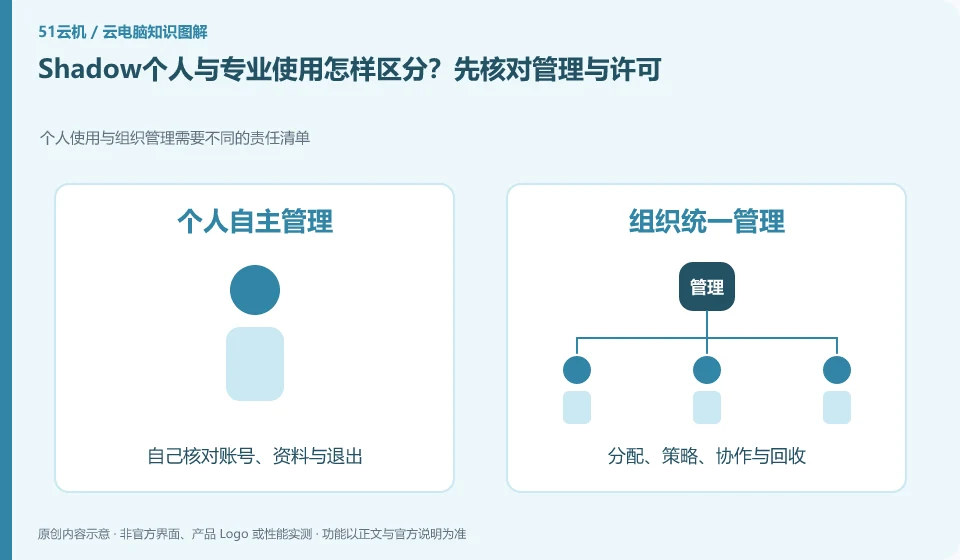
Organize users to first list personnel management, data retention, application authorization and support needs, and confirm the scope of procurement item by item. If it is only used by one person occasionally, you must also confirm the service area and software license; the risks and costs of the two types of needs are different, and the final decision cannot be made based on the graphics card model.
Write the full product name, account entry point, supported region and purchasing entity on one line. This prevents many cases where a tutorial's buttons cannot be found. Individual users usually need to know whether they can buy and connect directly; organizations also need user groups, central policies and offboarding. If a marketing page lists a capability, check which edition and plans include it and whether an administrator must configure it.
The comparison table can be set up into four columns: tasks that need to be done, whether the current product is explicitly supported, actual verification results, and conditions that still need to be confirmed by customer service. For example, "editing documents" and "multiple people sharing a desktop" are two different requirements; an ordinary office entrance cannot prove that concurrent login is available. If you encounter a version name change, give priority to the current help center and update date. Old screenshots are only used to understand concepts.
Check each requirement for your task
- Enter from the brand's own product catalog and record the complete product name and version.
- Compare the help documentation with a real task and mark clearly supported, unspecified, and not applicable.
- Check the account system, applicable regions and unsubscription rules before deciding whether to enter the trial.
Apply security controls to accounts and data permissions
You can make a permission list and divide the work into three categories: must be allowed, require approval, and prohibited. Ordinary users should not use the administrator account to complete all daily operations, and the access of temporary collaborators must have an expiration time. If you are just reading the information, it is usually more appropriate to give read-only permissions than write permissions to the entire folder. After a login exception or sharing error occurs, the session and credentials will be recovered first, and then the evidence will be retained and processed along the official process.
Where the conclusion applies and what to do next
Overseas official website display packages do not mean that mainland China can purchase or obtain appropriate delays; it cannot provide a way to bypass regional restrictions.
This article is based on public information. We have not purchased or tested the product. The scenarios describe ways to verify suitability, not customer case studies. Features and terms depend on the current official documentation for the relevant version.
Official sources and further reading
- Shadow: What is Shadow PC:Officially defined complete cloud Windows computer product.
- Shadow product introduction: The official distinction between Shadow PC and Shadow Drive.
- Shadow US Station: Regional purchasing and product import; no commitment is made to availability in other regions.
Read more:Cloud PC knowledge hub · Find an article for your question · Shadow PC product line identification
Related questions to explore
- Why Shadow PC is more than cloud gaming: checking full-desktop capabilities
- Shadow PC versus Shadow Drive: computing and storage are separate
- Can you buy Shadow PC in your region? Check official availability
Back to the brand and product knowledge directory · Browse cloud PC topics