
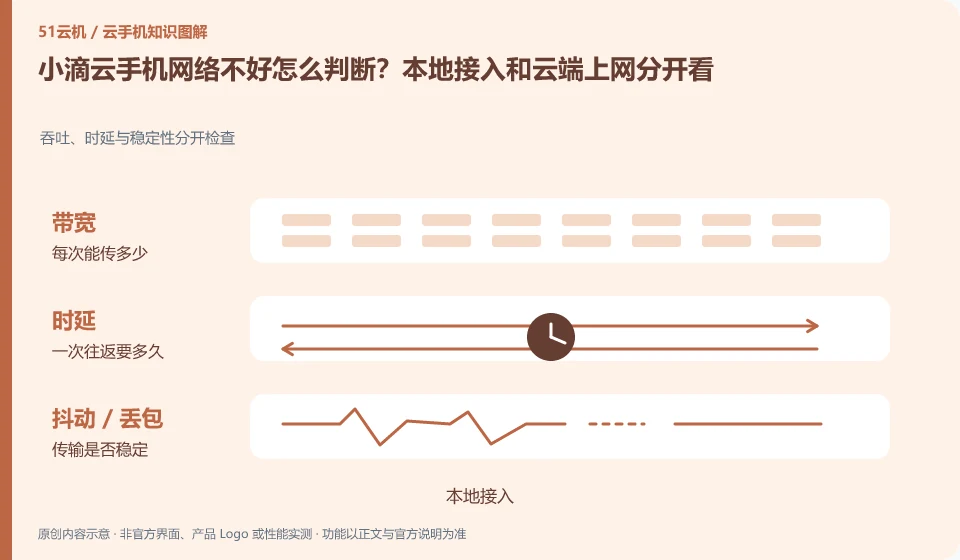
Regarding the Xiaodi Cloud phone, the key to this issue is: the cloud phone involves at least two networks: your access link to the cloud screen, and the Internet link from the cloud Android to the target service. Even if the local speed test is fast, there is no guarantee that accessing an application service from the cloud will be normal; and vice versa.
Known information about Xiaodi Cloud phones and the key points of this verification
Xiaodi Cloud phone is an Android mobile phone product running on a remote server. The official website provides web, Windows, macOS and mobile portals, and indicates the data cleanup when expiration or replacement.
Treat the "low latency" of the official website as the background of product promotion, and your own network, clients and tasks still need to be compared hierarchically.
The evidence boundary of this article is: the official website developer is Changsha LDCloud Network Technology Co., Ltd.; being a joint operator does not mean that accounts and packages are necessarily interoperable.
How this issue applies to this product
Xiaodi Cloud's "low latency" and other official website descriptions can only be used as product introductions and cannot guarantee the actual link from a user to a certain computer room. The most useful difference for personal troubleshooting is whether all clicks on Android settings are delayed, or whether only a certain app keeps loading. The former is related to the access screen, and the latter may also involve application servers and cloud networks.
Keeping the original equipment can prevent system and data variables from being mixed in when changing machines. First record the client and usage period, and then compare the two local networks on the same desktop. If the screen is normal but the application still fails, save the application error and do not regard the local speed test results as cloud egress evidence. The official website reminds you to clean up the data when changing devices, and especially do not use continuous device replacement to replace network analysis when there is a fault. If necessary, provide support with the device number and separate records of the two phenomena, instead of just writing "the network is not good".
If only one application is abnormal at the same time, you can supplement the results of other ordinary network actions as the background, but do not upload complete operation videos that contain privacy. Problem records focus on failure links, which not only facilitates support analysis, but also reduces the need to disclose personal content to troubleshoot the network.
Understand what this question covers
If the desktop click itself is slow, check the local connection and streaming settings first; if only one App content is slow to load, you should check the application and cloud export. When troubleshooting, keep the original device and change the local network or image quality one by one. Do not replace network diagnostics with system reinstallation to avoid losing available evidence and data.
Check in this order
- Record whether desktop interaction and application networking are abnormal at the same time.
- Switch local networks or reduce streaming image quality on the same device.
- Provide feedback on access issues and application networking issues respectively, and provide time periods and error prompts.
Sources and scope
Sources checked on October 26, 2026. This article combines AI-assisted research of public information with independent analysis and verification suggestions; we have not conducted a hands-on test of this product. Features and costs depend on the current official documentation and your order.
Continue reading:Cloud phone basics · Cloud phone troubleshooting guide · Brand reference directory。
Related questions to explore
- Xiaodi Cloud Phone and LDCloud: a shared developer does not mean interchangeable services
- Xiaodi Cloud Phone web access: website, sign-in page and console are different
- Reading Xiaodi Cloud Phone specifications: CPU, RAM, storage and image quality
Back to the brand and product knowledge directory · Browse cloud phone topics