
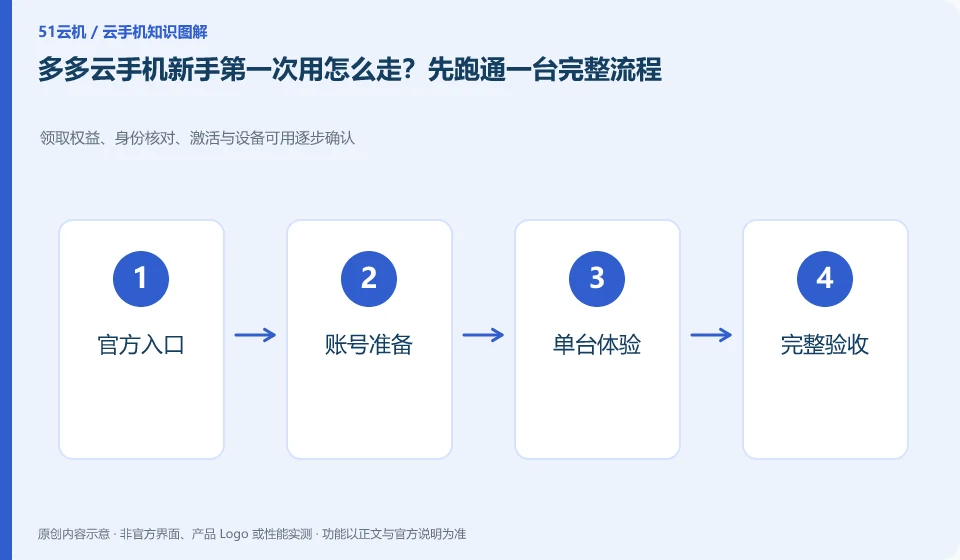
Regarding the Duoduo Cloud phone, the key to this issue is: for first-time use, you only need to connect the official entrance, account, device and target application, and there is no need to try all advanced functions from the beginning. Complete the purchase or trial, login, installation, operation and data export of a single environment first, and then decide on the next step.
Known information about Duoduo Cloud phones and the key points of this verification
The Duoduo Cloud phone official website also introduces cloud phone and business-oriented capabilities. The official website lists scenarios such as application upload, batch synchronization, simulation testing, and cloud office.
Start a single experience from the official registration and product entrance, verify payment, distribution and control separately, and avoid repeated order troubleshooting.
The evidence boundary of this article is: official website cooperation display does not mean that these companies provide endorsement for all functions; the scope of functional support must still be verified item by item.
Understand what this question covers
Record the results of each stage so you know where to stop when problems arise. The device has been assigned but cannot be controlled, which is not the same fault as the application installation failure. The device does not appear after the payment is successful, and repeated orders should not be placed. Do not purchase long-term or multiple packages at one time before key tasks are verified.
Consider a specific scenario
Suppose you have never used cloud phone and just want to run an Android tool. This is a verification plan, not our experience using this product. First of all, "only the account, device, application and export link should be run through for the first time" as the completion standard for this time. The original data should be saved before the test, and the first attempt should not be placed directly on important accounts and unique file copies.
What is most easily overlooked in this scenario is that buying a large number of devices before you understand the advanced features will increase the burden. Therefore, it is necessary to separate the status that can be seen on the interface from the results that really need to be delivered. Being able to reproduce, explain and withdraw is more valuable than getting only one success notification.
Check in this order
- Check the official entrance and account channels, and read the current order and data rules.
- Create only one test device, install and complete the target application process.
- Try to re-access and export the file, and then arrange for official use after confirmation.
A reusable verification log
You can copy the table below into your notes. Record the device ID, verification date and current version. It helps identify which step failed and lets you repeat the same checks after changing clients or services.
| Checkpoint | What counts as a pass | What to do if it fails |
|---|---|---|
| Before operation | Device, account, time and data range recorded | When critical data is not backed up, stop any clearing or resource release actions first |
| During execution | Each operation has a sequence, please read the important tips first. | Pause when encountering different impact prompts than expected, and do not blindly continue to confirm. |
| after the end | Check equipment availability and core task actual results | When only a success notification appears but the content is not verified, the process is not marked as completed. |
| Follow-up review | Bills, authorizations and copies of documents have review dates | Designate a person responsible for unfinished matters to avoid treating one operation as permanent guarantee |
How to submit records to the support channel of Duoduo Cloud phone
When submitting a question, first write down "How should a novice use Duoduo Cloud phone for the first time? First run through the complete process on one device", and then attach the device number, selected client and system version, failed steps and the current time. The key point of verify in the brand information is "Start a single experience from the official registration and product entrance, verify payment, distribution and control separately, and do not repeat orders for troubleshooting." Therefore, do not just send a screenshot of the homepage, nor do you need to put the complete password, verification code or private key into the problem description. When it comes to order or business qualifications, you should contact support from the official entrance where this product can be verified.
Sources and scope
Sources checked on October 26, 2026. This article combines AI-assisted research of public information with independent analysis and verification suggestions; we have not conducted a hands-on test of this product. Features and costs depend on the current official documentation and your order.
Continue reading:Cloud phone basics · Cloud phone troubleshooting guide · Brand reference directory。
Related questions to explore
- What is Duoduo Cloud Phone? Environment, access and intended users
- Duoduo synchronized controls: which actions should remain separate?
- App testing on Duoduo: cloud phones do not cover every physical-device difference
Back to the brand and product knowledge directory · Browse cloud phone topics