
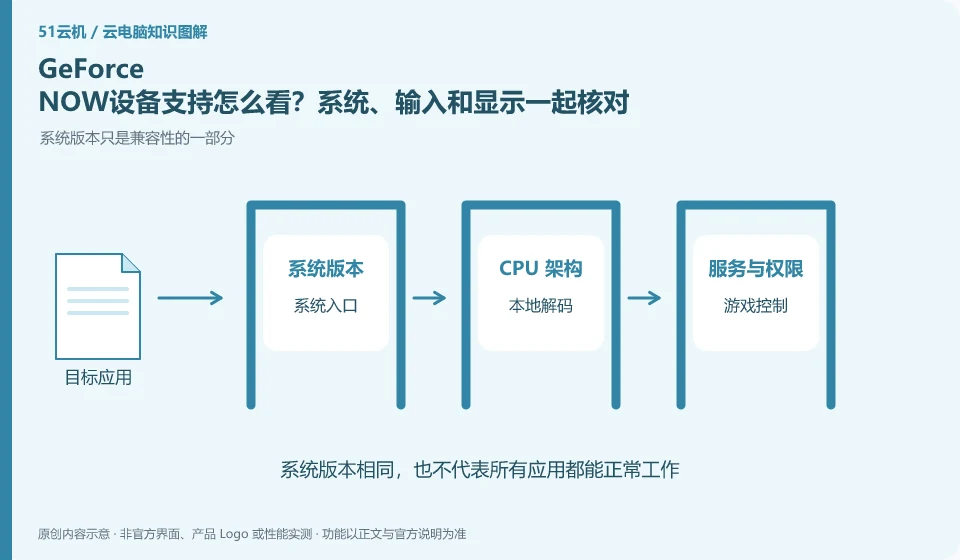
Supported devices not only involve whether the webpage can be opened, but also the system version, browser, decoding and input device. NVIDIA's official FAQ lists multiple types of terminals. Please check the current support requirements for specific models and experience.
Who this is for:Regular readers and small teams who are working on NVIDIA GeForce NOW and need to solve the specific problem in the title. Data verification date: 2026-10-26.
First, identify the product line
NVIDIA's official FAQ defines GeForce NOW as a cloud gaming streaming service. It helps users enter the game through supported devices. It does not provide a universal Windows desktop by default that can install office software and save any project files.
Local device prior access, decoding and control
Verify the official entrance, account login and input on your own device before trying the target game. The adaptation of mobile phone touch controls and controllers to those of desktop keyboard and mouse is different, and the ability to display images on a TV does not prove that all game control methods are available; do not install unfamiliar plug-ins to bypass restrictions.
First check the operating system, browser or client and device type in the official current system requirements, and then observe whether the local decoding screen can be stable. Just because the cloud is responsible for running games does not mean that local devices are completely unburdened; old computers, TVs, and mobile phones have different display and input capabilities, and it cannot be successfully concluded from one device that all terminals are equally usable.
The input part should be verified around the target game: whether the buttons, mouse lock, scroll wheel or controller each respond, and whether the touch screen is sufficient to complete the task. The display part uses the same scene to check the resolution and fluency. If there is only a picture problem, record the network and local decoding performance first. Users are not required to install graphics card drivers or modify the game service system in the cloud, which does not belong to ordinary terminal compatibility verification.
Check each requirement for your task
- Check your systems, portals and equipment against official system requirements.
- Check the complete operation of keyboard, mouse, controller or touch screen with the target game.
- Fixed image quality and scene recording display and response, adjusting as necessary according to official recommendations.
Which items should be retested after replacing the terminal?
When switching from computer to mobile phone, the account may still be the same, but the input, screen, and network paths have changed. Retest login, controls, sounds, and exit normally instead of just seeing the game launch successfully. Displaying the screen is just one step, being able to reliably control and save according to the rules is closer to a complete experience; do not use unfamiliar plug-ins to bypass official device restrictions.
Where the conclusion applies and what to do next
Cloud gaming services, graphics card brands and GPU cloud servers should be viewed separately; service areas, supported games and account rights should be checked against the official real-time page.
This article is based on public information. We have not purchased or tested the product. The scenarios describe ways to verify suitability, not customer case studies. Features and terms depend on the current official documentation for the relevant version.
Official sources and further reading
- NVIDIA GeForce NOW FAQ:Official definition of cloud gaming streaming and description of supported devices, games, etc.
- GeForce NOW official website: Cloud gaming product entrance, non-complete desktop service certificate.
Read more:Cloud PC knowledge hub · Find an article for your question · NVIDIA GeForce NOW product line identification
Related questions to explore
- Is GeForce NOW a cloud PC? Understand its game-streaming service
- Does GeForce NOW membership include every game?
- Checking GeForce NOW save progress after a normal exit
Back to the brand and product knowledge directory · Browse cloud PC topics