
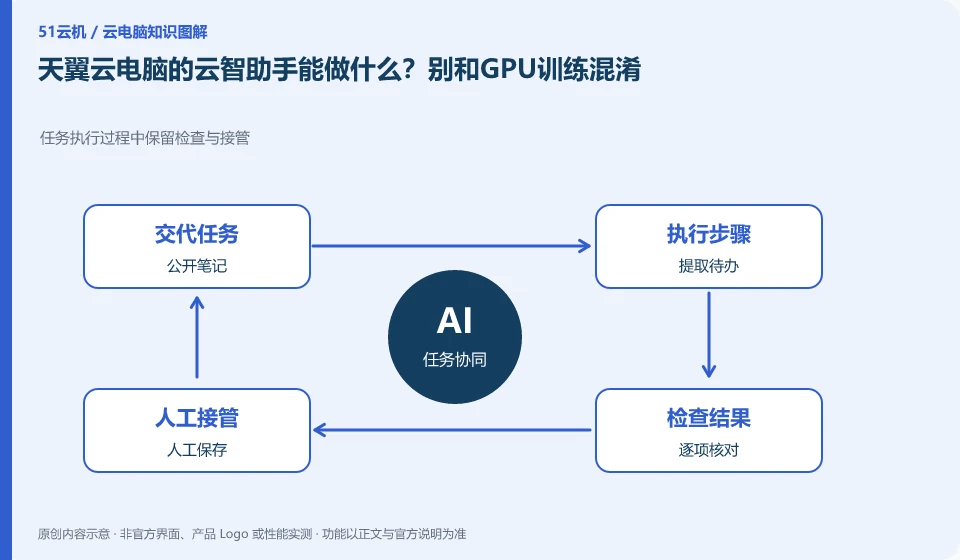
Cloud Intelligence Assistant is the AI application entrance introduced in the public version; it has different requirements from installing models by yourself and renting GPU for training. Before purchasing, you should decide whether you want conversational assistance or whether you want to run your own computing tasks.
Who this is for:General readers and small teams who are studying CTYun AI Cloud PC and need to solve the specific problems in the title. Data verification date: 2026-10-26.
First, identify the product line
CTYun's product catalog lists the public version, government and enterprise version cloud PC and cloud phone respectively; the introduction page of the public version shows the directions of office, online classes, games and cloud assistants. When reading CTYun products, first select the public version or government and enterprise version, and then check the corresponding client and help documents.
First check the actual output of the assistant with a public note
If you just organize public meeting notes into to-dos, focus on checking data input, output verification and saving; if you want to train a model, you need to check the GPU, VRAM, operating environment and package terms. "Connect to AI" on the page cannot be interpreted to mean that unlimited computing resources or any model can be run.
If you want to organize meeting minutes into a to-do list, you can start by preparing a self-written public sample that includes participating roles, deadlines, and an undetermined arrangement. Observe whether the assistant distinguishes between facts and speculation, whether the person responsible and the date can be retained, and then check the output with the original text sentence by sentence. This is testing text-assisted tasks and does not prove that cloud desktop supports model training.
If the task is instead to run your own downloaded model, the problem has shifted from using a ready-made assistant to deploying a computing environment. At this point, a separate search should be made to see if the required system, VRAM, drivers, model licenses and runtimes are clearly provided by the current product. Without this evidence, the task is recorded as unconfirmed, instead of deriving GPU performance on the Cloud Assistant page.
Check each requirement for your task
- Write down the text tasks that need to be completed, and prepare examples that do not contain personal or organizational secrets.
- Check the persons, dates and missing items in the output, and make corrections manually before saving.
- Running the model yourself is another requirement and will be studied after obtaining the package and environmental evidence.
How to record the acceptance results of AI assistant
Document the input material, the questions asked, what parts of the output were accurate, and what parts had to be corrected manually. If the assistant cannot process the attachment or cannot export it, indicate the specific entry and version, and save it in an officially supported method. This article only confirms that the public version page shows the direction of Cloud Intelligence Assistant, and does not provide a commitment to its quota, model version or automatic operation permissions.
Where the conclusion applies and what to do next
Cloud phone, cloud disk, and cloud PC under the same brand are not the same product; the configuration, duration, and province applicable scope of the activity page cannot be applied to each other.
This article is based on public information. We have not purchased or tested the product. The scenarios describe ways to verify suitability, not customer case studies. Features and terms depend on the current official documentation for the relevant version.
Official sources and further reading
- CTYun AI Cloud PC public version product page: Can confirm the public version of cloud PC, multi-terminal, office and online classes and other scenarios and cloud assistant entrance; no marketing delays or security commitments will be written as independent evaluations.
- CTYun product catalog: The cloud terminal directory is divided into government and enterprise version cloud PC, public version cloud PC and cloud phone.
- Tianyi Quantum AI Cloud PC Download Center:Official client download and application tool entrance; terminal and peripheral support need to check the specific version.
Read more:Cloud PC knowledge hub · Find an article for your question · CTYun AI Cloud PC product line identification
Related questions to explore
- CTYun Cloud PC consumer or enterprise edition: who manages the accounts?
- CTYun cloud PC or cloud phone: check the operating system
- Trying CTYun Cloud PC for office work: test a complete document workflow
Back to the brand and product knowledge directory · Browse cloud PC topics