
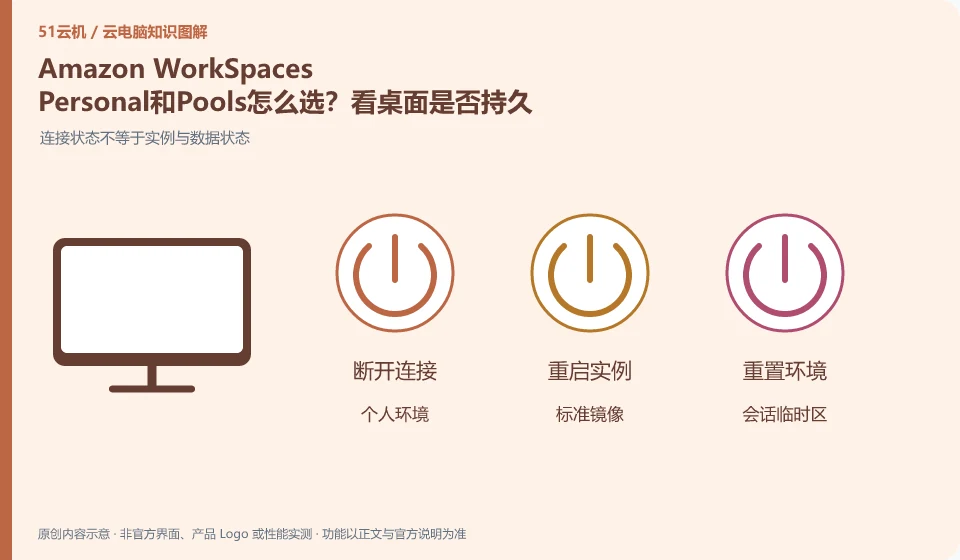
The official documentation uses Personal and Pools for persistent and non-persistent desktop needs respectively. The long-term personal environment and the standard environment allocated by session have different storage methods and operation and maintenance, and should not be selected based on the starting price alone.
Who this is for:For general readers and small teams who are working on Amazon WorkSpaces and need to solve the specific problem in the title. Data verification date: 2026-10-26.
First, identify the product line
Amazon WorkSpaces official documentation distinguishes between Personal persistent desktops and Pools non-persistent desktops. The two target users work in different ways; a user's long-term reserved work environment and a per-session standard environment should be handled separately in data and expense planning.
Persistent and non-persistent desktops determine preservation strategy
Start by making a list of settings and data that must be retained long-term, and then see which parts of the system can be rebuilt. The standard training environment and the permanent employee development environment have different requirements; after selection, you need to verify exit, reconnection and resource changes, and do not treat the desktop you see temporarily as a permanent personal host.
Persistent desktops are typically designed around long-term retention of personal environments, while non-persistent desktops are more like a standard environment with resources allocated on a per-session basis. Both can have data saving schemes, but the saving location and dependency conditions are different. Do not directly interpret "the desktop is restored after exiting" as a service failure, nor should a successful reconnection prove that all user settings are permanently retained.
Three categories of status need to be listed first: systems and applications that can be generated repeatedly, personal data that must be retained, and temporary files that are only used in this session. Specify the storage method and responsible person for each type of status. During the test, the four actions of disconnecting, logging off, restarting, and rebuilding were performed to confirm which operations would trigger the restore; before actually executing the test that would clear the data, worthless samples should be used and backed up.
Check each requirement for your task
- Confirm whether the desktop is a personal persistent environment or a pooled non-persistent environment.
- Specify the storage locations for system, personal data and temporary files respectively.
- Use the sample to check the difference between disconnection and logout, and complete independent export of important data.
Identify the edition before comparing features
Write the full product name, account entry point, supported region and purchasing entity on one line. This prevents many cases where a tutorial's buttons cannot be found. Individual users usually need to know whether they can buy and connect directly; organizations also need user groups, central policies and offboarding. If a marketing page lists a capability, check which edition and plans include it and whether an administrator must configure it.
Where the conclusion applies and what to do next
WorkSpaces desktop, AWS ordinary EC2 and application streaming services cannot be mixed into the same package; the region, license and operating mode need to be checked one by one.
This article is based on public information. We have not purchased or tested the product. The scenarios describe ways to verify suitability, not customer case studies. Features and terms depend on the current official documentation for the relevant version.
Official sources and further reading
- What are Amazon WorkSpaces: Officially distinguishes between Personal and Pools, and explains persistent and non-persistent desktop uses.
- Amazon WorkSpaces Desktop Service Pricing Description: Official fee structure and billing estimate portal, prices vary by region and mode.
- Amazon WorkSpaces Administrator Guide: Official reference for deployment and management. Default quotas for all accounts are not presumed according to the document examples.
Read more:Cloud PC knowledge hub · Find an article for your question
Related questions to explore
- Amazon WorkSpaces billing: why online time is not the only cost
- Identity setup before employees connect to Amazon WorkSpaces
- Amazon WorkSpaces versus an EC2 desktop: differences in service delivery
Back to the brand and product knowledge directory · Browse cloud PC topics