
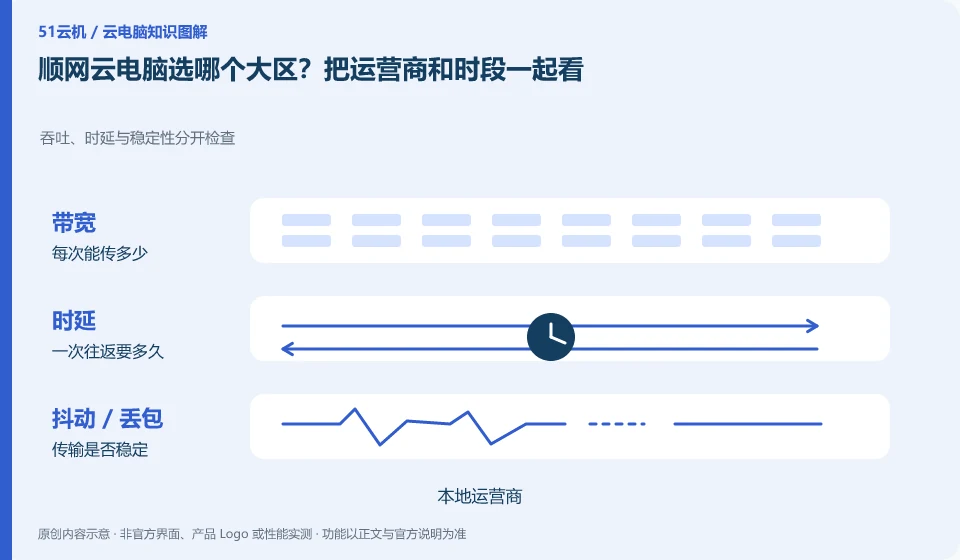
The selection should be based on the interaction between your network and the actual nodes, not just on the distance on the map. The official web version displays selection information such as regions and operators. The available nodes must still be subject to the current page.
Who this is for:Regular readers and small teams who are working on Shunwang Cloud PC, need to solve the specific problems in the title. Data verification date: 2026-10-26.
First, identify the product line
Shunwang Technology product page links to Shunwang Cloud PC, Shunwang computing resources cloud and Shunwang e-sports cloud PC respectively. The cloud PC portal for individuals includes selection and computing resources configuration; this is not the same thing as the delivery, contract and management system of an Internet cafe or e-sports hotel project.
Compare selectable areas using the same task
Under a fixed network, first select the recommended area, complete the same game or document operation, and then change only the large area for comparison. Record whether it is different at night and during the day; if it recovers after switching to a mobile hotspot, it means that the access link needs to be continued to be investigated, and it should not be directly attributed to the graphics card configuration.
First record the currently connected operator, network type and optional area, and then fix the same task and image quality observation. The page has a regional selection, which does not mean that the nearest name will necessarily provide the best experience; lines, congestion, time periods and local decoding may all affect the results. The download speed test can only provide part of the information and cannot replace the interaction record from key press to screen return.
If you want to compare two nodes, try to keep the terminal, network, and operating scenarios the same. Record whether the screen is blurry, whether the mouse is late, and whether the sound is interrupted, to avoid just writing fast or slow. If an option is unavailable, it will be processed according to the official current available options and will not be bypassed through fictitious addresses or third-party line tools. After the node changes, it is also necessary to confirm whether the account resources and data follow the same rules.
Check each requirement for your task
- Record the operator, network type, time period and currently available region.
- Fixed terminal, task and image quality, recording interactions and display performance one by one.
- Select the path that is currently available and passed by the sample, and check the data and package rules separately.
Confirm the applicable conditions for the region and package separately.
Node experience is a test, and whether your account can use the resources is another condition. Do not take screenshots of users in other regions as proof that you can purchase them; if changing nodes involves changes in storage, configuration or billing, check the current instructions before proceeding. Putting the available range and experience records in two columns makes it easier to report problems to official support.
Where the conclusion applies and what to do next
The recharge, computer room and data disk rules for consumer cloud PCs cannot be presumed to be the terms of service for e-sports hotels or enterprise projects.
This article is based on public information. We have not purchased or tested the product. The scenarios describe ways to verify suitability, not customer case studies. Features and terms depend on the current official documentation for the relevant version.
Official sources and further reading
- Shunwang Technology Product Matrix: The official catalog provides different product entrances for Shunwang Cloud PC, computing resources cloud and e-sports cloud PC.
- Shunwang Cloud PC official entrance: The page displays cloud PC client, AI application and data disk entrance; dynamic specifications and prices are not fixed facts.
- Shunwang Cloud PC web version: You can observe information such as the selected region and operator. The node availability needs to be reviewed when using it.
Read more:Cloud PC knowledge hub · Find an article for your question · Shunwang Cloud PC product line identification
Related questions to explore
- Shunwang Cloud PC, computing services and esports desktops: the differences
- What is the Shunwang Cloud PC data disk for?
- Choosing AI apps on Shunwang Cloud PC: verify a real output
Back to the brand and product knowledge directory · Browse cloud PC topics